
Stop Paying for AI Coding Tools: Build Websites with Cline and DeepSeek
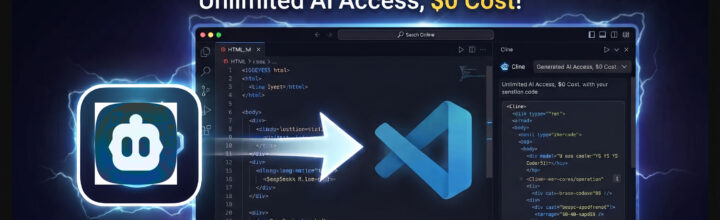
Cline + DeepSeek: Build Complete Webpages with a Free AI Coding Agent in VS Code
AI coding assistants are everywhere right now, but many developers run into the same problem: the most powerful tools often come with expensive monthly subscriptions. If you’re looking for a cost-effective alternative, the combination of Cline and DeepSeek offers an impressive way to build websites, landing pages, and applications directly inside Visual Studio Code without relying on premium AI plans.
In the accompanying tutorial video, we walk through the complete setup process, from installing Cline to connecting DeepSeek and generating an entire landing page with nothing more than a detailed prompt. The result is a surprisingly capable AI workflow that can create, edit, and iterate on real code inside your existing development environment.
What Is Cline?
Cline is an open-source AI coding agent designed to work directly within Visual Studio Code. Unlike simple autocomplete tools, Cline can analyze project structure, create files, refactor existing code, and execute complex multi-step development tasks using natural language instructions.
Rather than manually creating HTML, CSS, JavaScript, and project assets yourself, you can describe what you want and let the AI generate a functional starting point. This dramatically speeds up prototyping and helps developers focus on architecture and business logic instead of repetitive boilerplate.
Why Pair Cline with DeepSeek?
DeepSeek has quickly become one of the most talked-about AI coding models because it delivers impressive coding performance while remaining accessible to developers who do not want to spend hundreds of dollars each year on premium AI subscriptions.
- Lower Cost: Ideal for developers who want AI-powered coding without enterprise-level pricing.
- Strong Coding Performance: Generates HTML, CSS, JavaScript, PHP, Laravel, and other modern web technologies.
- Natural Language Development: Build features and pages simply by describing what you want.
- VS Code Integration: Work directly inside your editor without constantly switching to browser-based AI chats.
Setting Up Cline and DeepSeek
The video covers the complete installation and configuration process from start to finish.
- Step 1: Download and install the Cline extension.
- Step 2: Open Cline from the VS Code sidebar.
- Step 3: Configure your preferred AI provider and choose DeepSeek.
- Step 4: Open an existing project or repository.
- Step 5: Give Cline a detailed prompt and let it begin building.
Once connected, Cline becomes an intelligent coding assistant capable of understanding your project structure, creating new files, modifying existing code, and helping automate repetitive development tasks.
Building a Landing Page with AI
One of the most impressive highlights of the tutorial is watching Cline generate a complete landing page from a single prompt. Instead of manually creating layouts, sections, and styling, the AI autonomously builds the project while you review and guide the process.
Modern coding agents are becoming surprisingly effective at creating production-ready starting points for websites, SaaS applications, documentation sites, and internal business tools.
- Create responsive landing page layouts.
- Generate CSS styling automatically.
- Build navigation and call-to-action sections.
- Refactor existing code through conversational prompts.
- Quickly iterate on design ideas and features.
The Secret to Better AI Results
One of the largest factors affecting AI-generated code quality is prompt quality. The more information you provide, the more accurate and useful the generated output becomes.
Rather than using a generic request like:
“Build me a landing page.”
Try something more detailed:
“Create a modern SaaS landing page using Tailwind CSS with a hero section, features grid, testimonial section, pricing cards, responsive mobile layout, dark mode support, and a prominent signup call-to-action.”
Giving the AI additional context about design, functionality, technologies, and goals typically leads to significantly better results.
Should Developers Use AI Coding Agents?
AI tools are not replacing skilled developers anytime soon, but they are becoming powerful productivity multipliers. Tasks that once required hours of setup can often be completed in minutes, allowing developers to focus on solving business problems instead of repetitive boilerplate.
Whether you’re a freelancer, agency owner, startup founder, or hobbyist developer, combining Cline with DeepSeek can dramatically accelerate website and application development while keeping costs manageable.
Final Thoughts
If you’ve been interested in AI-assisted development but have avoided costly monthly subscriptions, Cline and DeepSeek provide a compelling alternative. With only a few minutes of setup, you can generate webpages, modify existing projects, and accelerate development directly from within Visual Studio Code.
The combination of an open-source coding agent and a powerful AI model makes this workflow one of the most accessible ways to experiment with autonomous AI-assisted web development today.
Watch the Full Tutorial
Want to see the entire workflow in action? Watch the complete tutorial below as we install Cline, connect DeepSeek, configure VS Code, and use AI to autonomously build a landing page from scratch.
Join the Newsletter
Sign up for our personalized daily newsletter

#1 GUIDE TO DRUPAL, WORDPRESS, CSS AND CUSTOM CODING | BEGINNER TO PRO



Leave a Reply